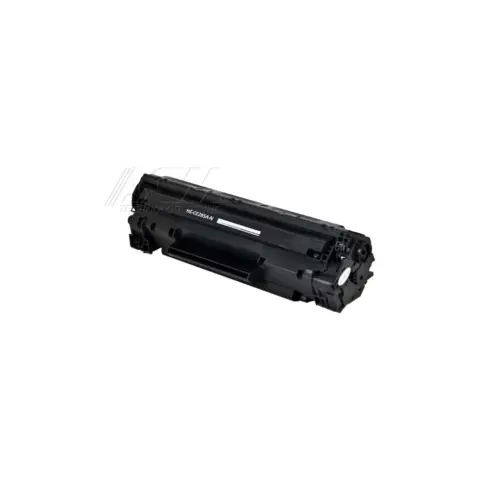
85A
Compatible HP 85A Black Toner Cartridge
1,600 pages
$21.99
Save 81% vs genuine
Your LaserJet Pro P1102w takes the 85A (standard yield). At our price that is about 1.4¢ a page.
The HP LaserJet Pro P1102w is a mono laser printer in the LaserJet Pro P1102 series, which shares cartridges across 2 models.
The cartridge it takes is the 85A, rated by HP at about 1,600 pages, which works out to roughly 1.4¢ a page at our price of $21.99.
On this printer the drum is built into the cartridge, so there is no separate drum to buy or reset. Every new cartridge brings a fresh drum with it.
When you compare prices, compare cost per page rather than the sticker price: a cheaper cartridge with half the rated yield costs more to run. Every cartridge here ships free, is covered by our printer damage protection and can be returned within 90 days, opened or not.
85A
1,600 pages
About $9.66 a month in toner, roughly one 85A every 3 months.
| Print speed | Up to 19 ppm (black), letter; Up to 18 A4 pages per minute |
|---|---|
| Print resolution | HP FastRes 1200 setting provides 1,200 dpi effective print quality; FastRes 600 setting provides 600 dpi effective print quality |
| Paper capacity | 150-sheet input tray and 10-sheet priority input slot |
| Output capacity | 125-sheet output bin (75 g/m2 / 20 lb paper) |
| Connectivity | 802.11 b/g wireless networking; Hi-Speed USB 2.0 port |
| Mobile printing | HP ePrint |
| Control panel | Ready light and Attention light indicators |
| Ready light on, attention light off | The product is in the ready state. No action is required. The product is ready to receive a print job. |
|---|---|
| Ready light blinking, attention light off | The product is receiving or processing data. No action is required. The product is receiving or processing a print job. |
| Attention light blinking, ready light off | The product has experienced an error that can be corrected at the product. Inspect the product, determine the error, and then correct the error. |
| Attention light on | Indicates that the print cartridge door is open or other errors exist. Close the print cartridge door fully; if the light stays on, check for a jam or a missing or badly seated print cartridge. |
HP lists the HP 85A Black Original LaserJet Toner Cartridge, part number CE285A, with a yield of approximately 1,600 pages. HP's own compatibility list for the 85A names the LaserJet Pro P1102w.
HP does not list automatic two-sided printing for this model, and its paper handling is published as a 150-sheet input tray with a 10-sheet priority input slot. Duplex output is not among the specifications HP publishes for the P1102w.
HP lists 802.11 b/g wireless networking plus a Hi-Speed USB 2.0 port, and supports HP ePrint for printing by email. There is no wired Ethernet port in HP's published specifications for this model.
Most of these share the same cartridges. Check the model page to be sure.
or pick your printer
Page updated Sep 17, 2026. Compatibility checked by Dan Whitaker, Print Technician. Brand names and part numbers are used only to identify compatibility. We are not affiliated with or endorsed by any printer manufacturer.