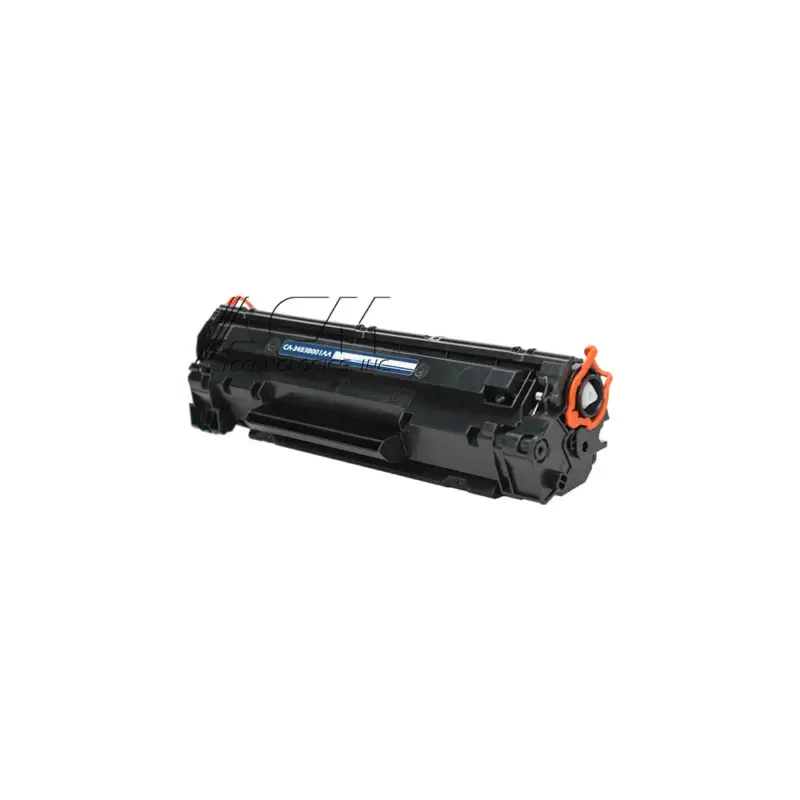
Compatible Canon 126 Black Toner Cartridge (2,100 pages)
Replaces Canon 126 (3483B001AA) · SKU TS-CN126
2,100 pages, about 1.0¢ per page
Buying for the office? The price drops with quantity.
- 2 or more$20.89 eachsave 5%
- 4 or more$19.79 eachsave 10%
- 10 or more$18.69 eachsave 15%
Applied automatically in the cart. Mix and match does not apply; the break is per cartridge.
- Free shipping on every order
- Lifetime satisfaction guarantee
- 90-day returns, including opened cartridges that are defective
- Printer damage protection on every cartridge we sell
This compatible 126 prints about 2,100 pages at roughly 1.0¢ a page and replaces the genuine Canon 126. It fits the Canon imageCLASS LBP6200, Canon imageCLASS LBP6200d and Canon imageCLASS LBP6230 and 8 other Canon models.
Will this fit my printer?
Fits 11 printer models. Pick yours to see everything else it takes.
- Canon imageCLASS LBP6200Uses 126
- Canon imageCLASS LBP6200dUses 126
- Canon imageCLASS LBP6230Uses 126
- Canon imageCLASS LBP6230dnUses 126
- Canon imageCLASS LBP6230dwUses 126
- Canon LBP-6200Uses 126
- Canon LBP-6200dUses 126
- Canon LBP-6230Uses 126
- Canon LBP-6230dnUses 126
- Canon LBP-6230dwUses 126
- Canon LBP-6240Uses 126
Find your cartridge
or pick your printer
Specifications
| Replaces OEM number | Canon 126 |
|---|---|
| Also written as | 3483B001AA, CRG-126 |
| Color | Black |
| Rated yield | 2,100 pages (Approx. yield per ISO/IEC 19752 / 19798 at 5% coverage (letter/A4)) |
| Yield class | Standard yield |
| Cost per page | 1.0¢ at our price |
| Chip | Not published by Canon |
| Build | Confirmed with the supplier before launch |
| Facts checked | 2026-09-22 by Dan Whitaker, Print Technician |
Specs from acmtech.com.
How to install it
- Open the toner cover on the front of the printer.
- Lift the used cartridge straight out.
- Take the new cartridge out of its bag and rock it gently five or six times to level the toner.
- Pull the orange sealing tape straight out, keeping it level with the cartridge.
- Line the cartridge guides up with the rails inside and push it in until it stops.
- Close the cover and print a test page.
If something goes wrong
The printer does not recognize the cartridge
Power the printer down, reseat the cartridge, and make sure the contacts and chip are clean. If the message stays, check whether a firmware update changed how the printer reads third-party chips.
Full guidePages come out blank or very light
Nine times out of ten the sealing tape is still in place or the cartridge needs rocking to spread the toner. Pull the cartridge, check the tape, rock it gently, and reinstall.
Full guideStreaks or a repeating mark down the page
Streaks usually come from the drum, not the toner. Clean the corona wire if your printer has one, and check the drum count before replacing the cartridge again.
Full guideQuestions about the 126
How many pages does a 126 print?
About 2,100 pages. The rating follows Approx. yield per ISO/IEC 19752 / 19798 at 5% coverage (letter/A4). That is a rated average, so heavy graphics use toner faster than plain text.
126 or 126H: which one fits my printer?
Both fit the same printers. The 126 is the standard-yield cartridge and the 126H is the high-yield one, so the difference is how often you swap it, not whether it works.
What if it does not work in my printer?
Send it back. Returns are open for 90 days and that includes opened cartridges that are defective. Shipping is free both ways.
Only logged in customers who have purchased this product may leave a review.
Reviews
There are no reviews yet.